A logo that looks fine on Instagram can fall apart fast when it hits a storefront sign, embroidered uniform, or printed flyer. That is usually the moment a business owner realizes they need to vectorize a logo file, not just save another PNG and hope for the best. If your brand needs to work across print, web, packaging, and large-format marketing, vector artwork is not a nice-to-have. It is the production-ready version of your logo.
What it means to vectorize a logo file
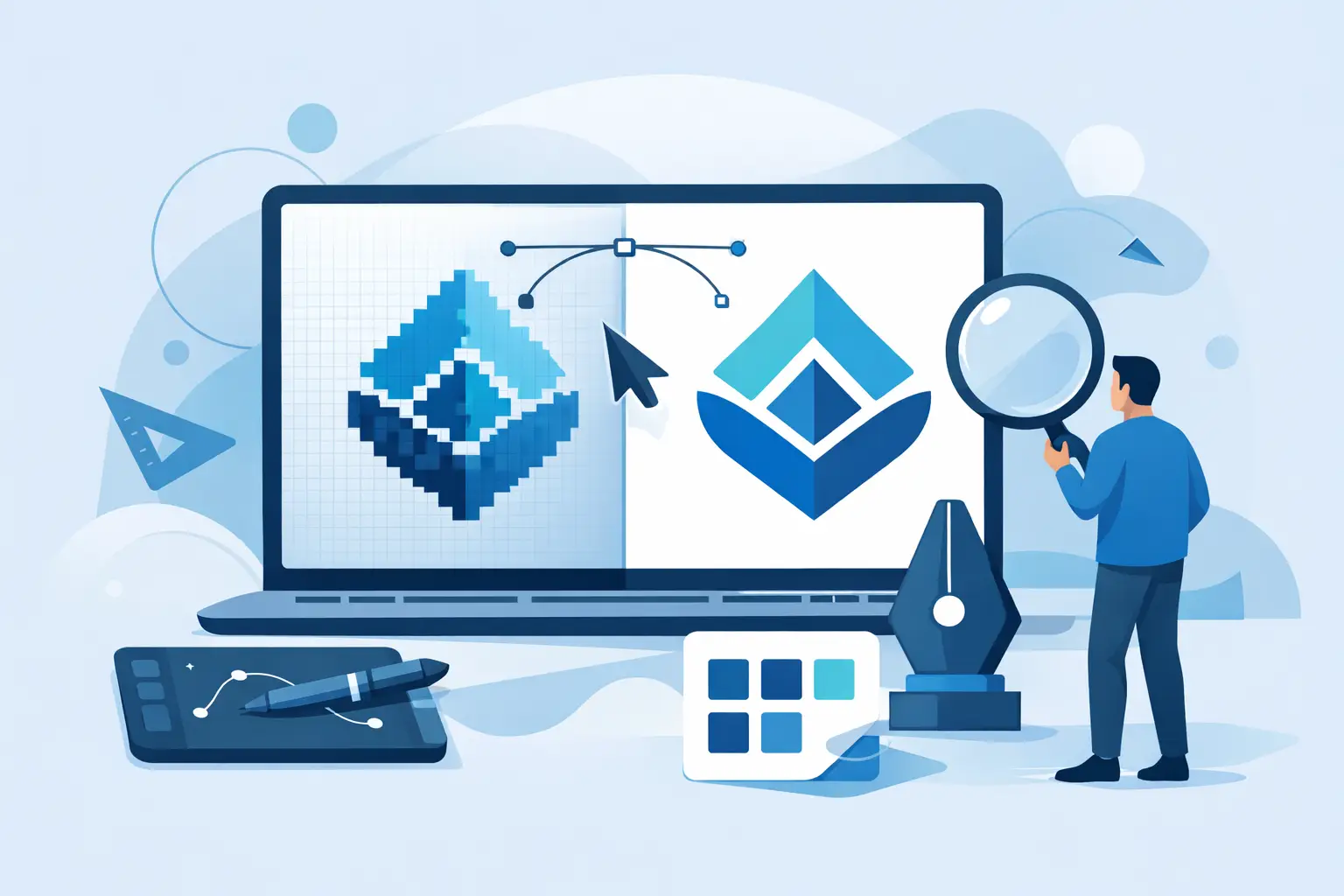
Vectorizing turns a pixel-based logo into artwork built from points, paths, and curves instead of fixed pixels. That matters because vector files can scale up or down without getting blurry, jagged, or soft around the edges.
A JPG or PNG is fine for quick digital use, but it has limits. If you enlarge it too much, the image quality drops. A vector file, usually delivered as AI, EPS, SVG, or PDF, stays clean whether it is used on a business card or a billboard.
For small and midsize businesses, this is less about design theory and more about practical control. A vector logo gives your printer, sign maker, apparel vendor, and web team a file they can actually use without reworking your brand every time a new job comes up.
Why a vector logo matters in day-to-day business
Most businesses do not need a vector file every day. They need it the moment something important is on the line. That could be window signage, a vehicle wrap, uniforms, brochures, packaging, or a trade show banner. In each case, the file quality affects how credible your business looks.
A non-vector logo often creates delays. Vendors ask for a better file. Someone tries to redraw it quickly. Colors shift. Shapes get distorted. Suddenly a simple print job turns into a cleanup project. That costs time and usually more money than handling the logo properly from the start.
Vector artwork also protects consistency. If your logo has custom spacing, specific line weights, or a unique icon shape, those details need to hold up across every format. Clean vector construction helps keep your brand recognizable and professional.
When you need to vectorize a logo file
There are a few common situations where vectorizing becomes necessary.
The first is when your only logo file is a low-resolution JPG, PNG, or screenshot. This happens often with older businesses, startup handoffs, or logos pulled from social media profiles.
The second is when you are refreshing your branding and discover the original source files are missing. If there is no editable artwork, the logo may need to be rebuilt as vector art.
The third is when you are preparing for print production. Many printers can work with high-resolution raster files in some cases, but for logos, vector is still the safer standard. It gives cleaner output and more flexibility for spot colors, cut paths, and resizing.
The best way to vectorize a logo file
There are two main paths: auto-tracing software or manual redraw. Both can work, but they do not deliver the same result.
Auto-tracing is fast, but not always accurate
Most design software includes an image trace feature. You upload a raster logo, adjust settings, and let the software convert it into vector shapes. This can be useful for simple marks with bold shapes and minimal detail.
The trade-off is precision. Auto-tracing often creates too many anchor points, uneven curves, rough corners, and messy shapes. A logo may look acceptable on screen but still fail quality checks when enlarged or sent to production. If the original image is low resolution, auto-trace tends to exaggerate every flaw.
Manual redraw gives cleaner, production-ready files
For serious branding work, manual redraw is usually the better option. A designer rebuilds the logo shape by shape, matching proportions, curves, spacing, and typography as closely as possible. This creates cleaner paths, better scalability, and a more controlled final result.
This approach takes longer, but it is more reliable. If your logo will be used on signage, apparel, packaging, or repeat marketing materials, that extra accuracy is worth it.
What makes a vector logo file good
Not all vector files are built well. A file can technically be vector and still be difficult to use.
A strong vector logo should have smooth curves, clean anchor placement, balanced spacing, and organized layers if needed. Text should either remain editable with the correct font supplied or be converted to outlines for portability. Colors should be set intentionally, whether in RGB, CMYK, black, white, or spot color versions.
It should also be delivered in more than one format. One file type rarely covers every use case.
Which file formats you should ask for
If you are investing in logo cleanup or logo design, ask for a practical file set, not a single export.
At minimum, most businesses should have an AI or EPS master file for editing and print production, an SVG for web and scalable digital use, a PDF for easy sharing and print review, and PNG exports with transparent backgrounds for everyday marketing tasks. In many cases, it also helps to have JPG versions for basic office use.
Black, white, full-color, and reversed versions are equally important. A logo that only works in one color setup creates problems later. The more controlled your file package is, the easier it is to use your brand consistently.
Common problems when vectorizing older logos
Older logos often come with hidden issues. The original font may no longer be available. The only reference file may be blurry. Colors may have shifted over time because different vendors recreated the logo from memory or from whatever file they had on hand.
This is where vectorizing becomes part restoration, part cleanup. Sometimes the goal is to match the original exactly. Other times, it makes sense to refine small inconsistencies while keeping the logo recognizable.
That decision depends on how established the logo is. If customers already know it well, changes should be controlled. If the logo has been used inconsistently for years, a careful rebuild can improve the brand without making it feel unfamiliar.
A practical process to get it done right
If you need to vectorize a logo file, the cleanest process starts with collecting everything you have. That includes old PDFs, website files, business cards, signage photos, social profile images, and any version sent by a previous designer or printer.
From there, the logo should be reviewed for complexity. A simple text mark with one icon is straightforward. A logo with gradients, distressed textures, fine outlines, or custom lettering may need a more detailed rebuild. This affects both timeline and cost.
Next comes reconstruction. That may involve tracing core shapes, identifying typefaces, redrawing lettering, matching brand colors, and testing the logo at different sizes. Once the logo is rebuilt, it should be exported into a usable set of final files with clear naming and version control.
A process-led studio will also check how the logo performs in real applications, not just on an artboard. That means testing legibility, line thickness, spacing, and one-color performance before delivery.
DIY vs professional vectorization
If you only need a quick file for a temporary use, a DIY trace may be enough. A simple logo for a local event sign or a one-off internal document might not justify a full rebuild.
But if the logo is part of your long-term brand system, professional vectorization is the safer move. The difference shows up later in smoother vendor handoffs, fewer print issues, and less time wasted fixing files under pressure.
For businesses that want fast, flexible, collaborative support, this is where a structured design partner adds value. A studio such as Brandcrafter can treat vectorization as part of a bigger brand workflow, not an isolated file conversion. That means the end result is not just editable artwork, but a file set that supports business cards, flyers, signage, digital graphics, and future growth without guesswork.
Before you approve the final files
Ask to see the logo large and small. Check that curves are smooth, spacing feels consistent, and text is crisp. Make sure you receive the source files, not just flattened exports. Confirm whether fonts are outlined or included, and ask for transparent background versions.
Most importantly, make sure the files reflect how your business actually operates. If you regularly print flyers, need social graphics, and plan to add signage later, your deliverables should support that from day one. A vector logo is not just about file quality. It is about removing friction from every future brand application.
A good logo should not need rescuing every time it leaves the screen. Get the file structure right once, and the rest of your marketing gets easier.